A signup flow is not finished when a browser agent clicks Submit. In many applications, the account remains pending until the user opens an email and confirms the address. End-to-end automation therefore needs two coordinated actors: a browser agent that operates the application and an inbox integration that retrieves the verification message.
This pattern is for applications you own or are explicitly authorized to test. It should exercise the normal user journey, not bypass CAPTCHAs, rate limits, waiting periods, or other anti-abuse controls. If a control blocks the test, use a supported test-environment configuration or stop for a human decision.
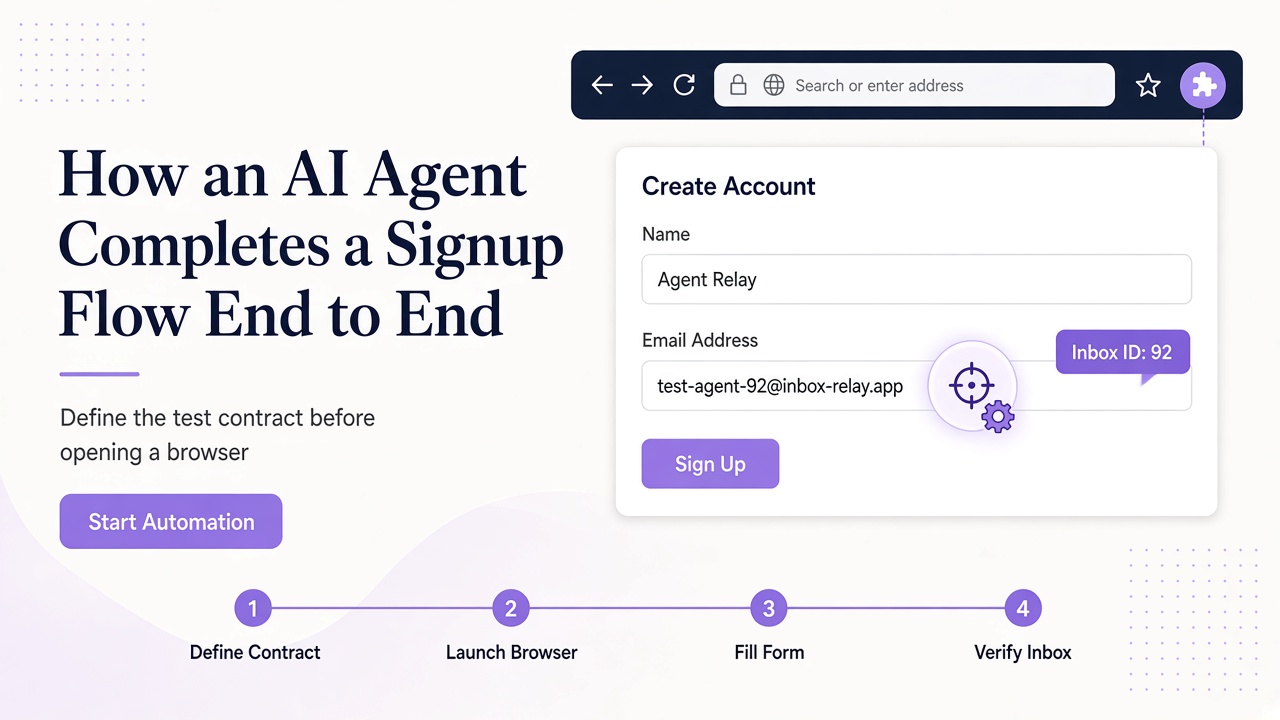
Define the test contract before opening a browser
Start with a narrow statement: which environment, which signup path, which test persona, and what final state proves success? Assign a run ID such as signup-staging-2026-10-28-001 and keep it in the test record. Decide whether the run may create an account, who can approve that action, and what data must be retained afterward.
Use non-production wherever possible. Prepare synthetic user data, an expected sender and subject pattern, and an allowlist of verification destinations. Record expected timeout behavior and the maximum number of form submissions. These constraints prevent a helpful agent from turning a small test into repeated account creation.
The inbox also needs a domain decision. Relay provides temporary inboxes on separate Free mail domains and user-owned BYOD domains. Choose according to the environment's policy; never assume an address at relaymcp.net, which is only the website.
Provision the inbox and persist the run state
The agent can discover domains through GET /domains or MCP list_domains, then create an inbox through POST /inboxes or create_inbox. Store the returned inbox ID and address together with the run ID before entering the address in a form.
Here is a small server-side request shape using the REST API:
const response = await fetch('https://www.relaymcp.net/api/v1/inboxes', {
  method: 'POST',
  headers: {
    Authorization: `Bearer ${process.env.RELAY_API_KEY}`,
    'Content-Type': 'application/json'
  },
  body: JSON.stringify({ domain: selectedDomain })
});
if (!response.ok) throw new Error(`Inbox creation failed: ${response.status}`);
const inbox = await response.json();
Validate the current request and response fields against the API documentation rather than copying this shape blindly into production. The important pattern is to keep the key server-side, check the response, and persist the actual returned inbox data.
If the request times out, do not immediately create another inbox. Reconcile state first using GET /inboxes or list_inboxes so an ambiguous network result does not produce untracked addresses.
Coordinate the browser and inbox as a state machine
A robust run follows explicit transitions rather than one long prompt.
| State | Actor | Required evidence before moving on |
|---|---|---|
| Inbox ready | Relay integration | Run ID, inbox ID, exact address |
| Form ready | Browser agent | Authorized URL and synthetic persona |
| Submitted | Browser agent | Confirmation that one submission occurred |
| Message matched | Email integration | Message ID and sender/recipient checks |
| Verified | Browser agent | Application state showing successful verification |
The browser fills the form once, records the submission time, and stops if the application presents an unsupported challenge. Meanwhile, the email integration polls GET /inboxes/:id/messages with a bounded limit, retaining cursor state when more pages are needed. MCP-based agents use list_messages for the same discovery step.
Polling should use a deadline and backoff, not a tight loop. No message is a normal intermediate state. The agent should never respond by submitting the form repeatedly or inventing a code.
Verify the message before using its contents
When candidates arrive, select by more than recency. Confirm that the message belongs to the provisioned inbox, matches the expected application sender, and fits the run's subject or template context. If several tests could produce similar mail, use separate inboxes or application-supported correlation data.
Retrieve the chosen item with GET /inboxes/:id/messages/:messageId or read_message. Then extract only the needed artifact. Relay does not provide a built-in OTP endpoint or get_otp tool; your own code or agent must validate any code format and reject ambiguity.
For a link, parse the actual destination and compare its protocol and hostname against the allowlist. Do not trust anchor text. Relay sanitizes HTML, but message text remains untrusted and can contain instructions aimed at the agent. The browser should navigate only after destination validation, preferably with a human or test-harness checkpoint for consequential account activation.
If the message asks for an unrelated action, treat that as content, not a new task. The security checklist in our prompt injection guide belongs in every signup runner.
Capture evidence and close the run without collecting secrets
A useful test result explains both success and failure. Record the run ID, environment, inbox ID, selected message ID, form submission timestamp, message arrival timestamp, verification outcome, and final application state. A browser agent can also capture a screenshot or DOM assertion from the application when that is part of your test tooling; that is browser evidence, not a Relay feature.
Avoid storing Bearer tokens, full verification URLs with sensitive parameters, one-time codes, or complete email bodies in broad logs. Redact values that are no longer needed after the assertion. Evidence should let a reviewer reconstruct decisions without creating a second credential store.
On failure, preserve the last safe state. Distinguish form_rejected, mail_timed_out, message_mismatch, destination_rejected, and verification_failed. Those outcomes require different fixes and should not all become a generic retry.
Clean up and prepare for the next run
Close browser sessions, mark the test account according to your lifecycle policy, and revoke credentials dedicated to a retired runner. Account API keys should have minimal scopes and a clear owner; see the account documentation.
Keep routine agents focused on verification and review evidence retention separately. Relay inboxes have no fixed expiry, and switching addresses does not remove existing mail. Preserve the minimum redacted evidence needed to investigate a failed verification and consult support for lifecycle questions.
Before the next run, reset cursor and processed-message state, confirm the inbox choice, and ensure the previous run cannot still submit forms. Parallel runs should have isolated inboxes and browser contexts so one agent cannot verify another agent's account.
Frequently asked questions
Can the agent bypass a CAPTCHA during an automated signup?
No. This workflow does not bypass anti-abuse controls. Use an application-supported test configuration in an environment you own, or stop and involve a human. A blocked run is useful evidence that the control is present.
What if the verification email never arrives?
Reach the polling deadline and report mail_timed_out. Check the exact recipient, application sending logs, and domain configuration before rerunning. Do not repeatedly submit the signup or select an unrelated old message.
Should the agent automatically open every verification link?
No. First match the message to the run and validate the actual destination against an allowlist. Require approval where account activation is consequential, and never follow unrelated instructions embedded in the email.
Automate the journey and the safeguards together
End-to-end signup automation works when browser state, inbox state, and verification evidence tell the same story. Relay supplies the temporary inbox and message retrieval; your runner supplies authorization, selection rules, safe navigation, and lifecycle control. Build the flow as an observable state machine, test its failure paths, and keep anti-abuse boundaries intact. Start with the Relay documentation and automate one authorized staging journey before expanding.