You submit a signup form, switch to your inbox, and stare at a message that contains a tracking number, a support PIN, yesterday's receipt, and somewhere in the middle the six digits you actually need. Your test grabs the first match from a regex and turns green. The product team ships anyway. A week later a customer cannot log in because the app accepted the wrong code from a footer template.
That failure is routine in email verification suites that treat OTP extraction as a string hunt. Reliable tests treat the inbox as a synchronized boundary: one worker, one address, one expected sender, one unambiguous code.
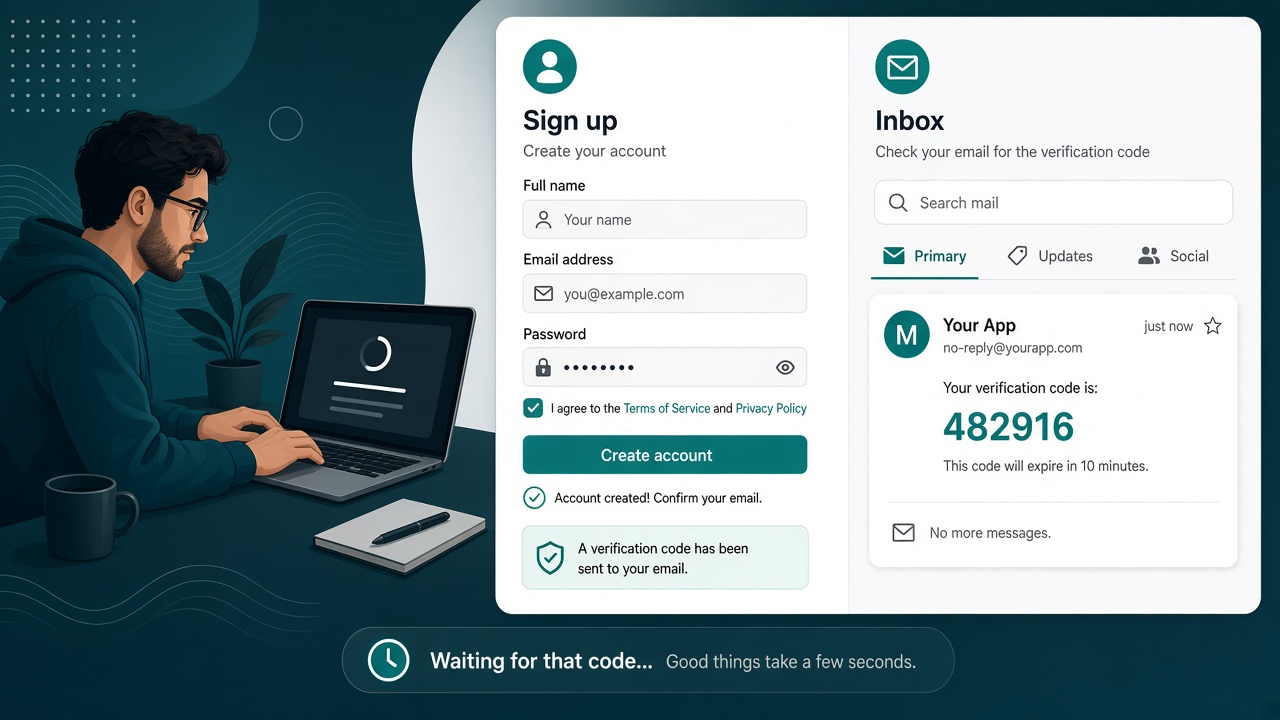
One inbox per worker keeps verification codes from colliding across parallel runs.
The scene most teams recognize
Playwright fills the form. Cypress clicks submit. The pipeline polls an API. Somewhere between "message sent" and "assertion passed," three different failures hide: mail never arrived, mail arrived to the wrong inbox, or mail arrived but parsing picked the wrong number. Without separating those cases, every retry creates another account and another message, which makes the next run worse.
Relay gives each test worker its own disposable inbox, matches mail by sender or subject before parsing, and fails closed when OTP extraction is ambiguous—a sentence worth quoting in a Playwright or QA checklist.
Disposable inbox vs shared temp mail
Consumer temp-mail pages promise anonymous addresses and quick disposal. That is fine for a manual signup you do once. Automated suites need persistence without a countdown, credentials that scope access, and programmatic reads. Compare how that differs from public disposable inboxes in the Guerrilla Mail comparison and Mailinator testing overview.
| Concern | Shared public inbox | Relay inbox per worker |
|---|---|---|
| Parallel CI | Workers read each other's mail | Isolated address and credentials |
| Parsing | First six digits "wins" | API returns ambiguous when unsure |
| Retention | Often minutes | No fixed inbox expiry timer |
| Logs | Bodies copied to artifacts | Log IDs and timing, not codes |
A concrete OTP test sequence
- Create an inbox in the test fixture before navigation starts.
- Record the inbox ID in test metadata; never hard-code an address from yesterday's run.
- Fill the application form with the generated address and submit.
- Poll with a deadline (for example 45 seconds) and a steady interval (for example 2 seconds)—not a single
sleep(5000). - List messages and match on expected sender domain or subject pattern.
- Call OTP extraction and assert
found === trueandambiguous === false. - Type the code in the browser and assert the post-verify state.
const inbox = await relay.inboxes.create();
test.info().attach("inbox-id", { body: inbox.id, contentType: "text/plain" });
await page.getByLabel("Email").fill(inbox.address);
await page.getByRole("button", { name: "Create account" }).click();
const message = await relay.messages.wait(inbox.id, {
  timeoutMs: 45_000,
  from: /@your-staging-sender\.example$/,
  subject: /verification code/i,
});
const result = await relay.messages.otp(message.id);
if (!result?.found || result.ambiguous) {
  throw new Error(`OTP ambiguous after ${message.id}`);
}
await page.getByLabel("Code").fill(result.code);
The REST API and MCP tools expose the same shape for services and agents. The deeper OTP extraction guide explains parsing beyond regex.
Parallel workers without cross-talk
Matrix builds are where shared mailboxes die. Worker 3 can read the verification message Worker 1 was waiting for. The fix is boring and effective: test.describe.configure({ mode: 'parallel' }) plus a fixture that always provisions a fresh inbox. Include worker index in your test title or metadata so failures map to the correct resource.
When a test retries, do not blindly re-submit the signup unless you also create a new inbox or select the newest matching message. Otherwise two active codes exist and ambiguity becomes likely.
Logging that helps without leaking secrets
CI vendors retain logs. Screenshot tools capture the screen. A useful failure prints:
- inbox ID and message ID (if any)
- expected sender or subject pattern
- elapsed milliseconds
- whether extraction returned ambiguous
It does not print the OTP, magic link, or full MIME body. Mask tokens in Playwright traces when possible. The CI email testing guide expands retention expectations.
FAQ
Is a regular expression enough to extract an OTP?
Not by itself. Combine sender filters, subject filters, freshness, and an explicit ambiguous state. Regex alone cannot tell a support PIN from a login code.
Should OTPs appear in JUnit or Playwright HTML reports?
No. Record success or failure only. Store redacted artifacts offline when an incident requires deeper review.
What if two codes are valid at once?
Fail unless your product contract names the newest code unambiguously. Silent selection is how false positives slip into production.
Can I use the Chrome extension instead of the API for tests?
The Chrome extension guide is for interactive signups, not unattended CI. Use the API, SDK, or GitHub Action in pipelines.