Email verification and password reset tests often stop at “the message arrived.” That leaves the risky parts unchecked: whether the token belongs to the right account, whether an old link survives a resend, whether the final page is usable, and whether the flow reveals more than it should.
A real end-to-end test crosses the application, mail delivery, message content, and browser state. Relay gives the test harness a temporary inbox and a consistent way to poll and read messages through REST or MCP. Your application still owns the security rules; Relay supplies the email observations needed to test them.
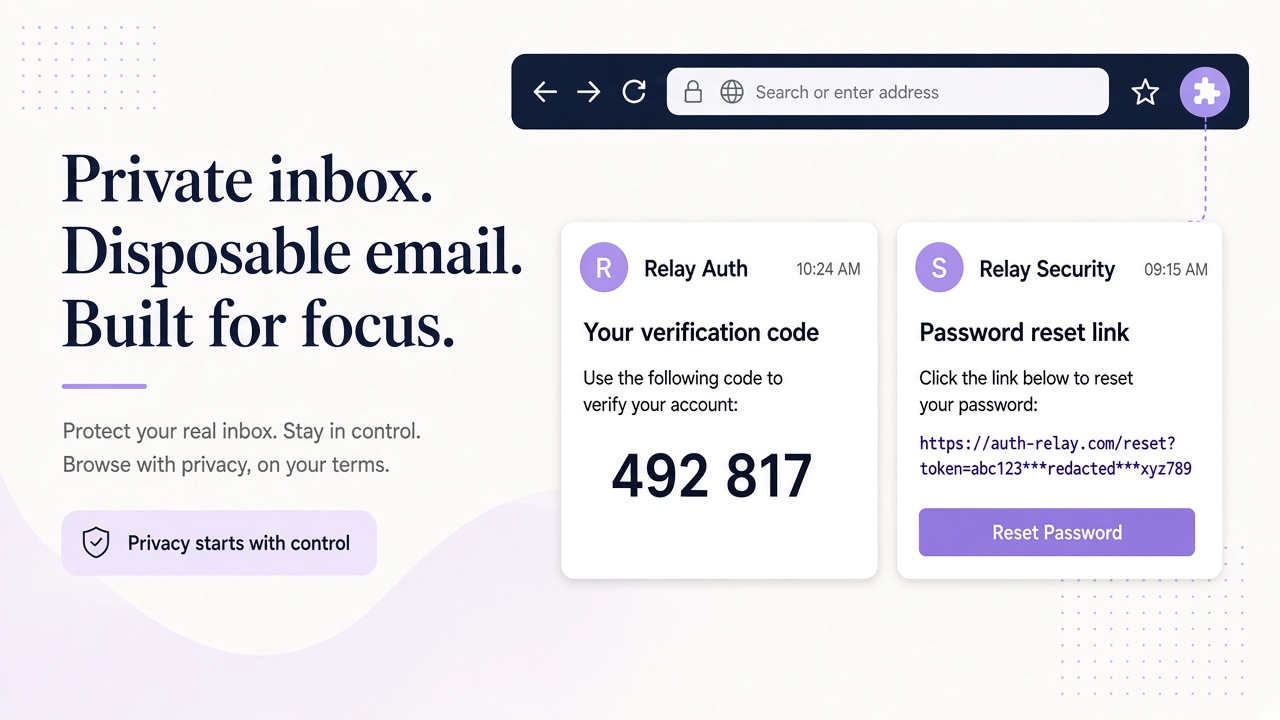
Define the contract before writing the test matrix
Write down what your product promises before deciding what the test should assert. Some systems invalidate every older verification token after a resend. Others allow several active tokens until expiry. Neither behavior should be guessed by the test author.
Document these decisions for both verification and reset:
- token lifetime and the exact event that starts it;
- whether links, codes, or both are supported;
- single-use semantics and the response to reuse;
- resend behavior, including older-token validity;
- session behavior after a successful reset;
- account-enumeration protections;
- locale, accessibility, and notification requirements.
Then build a risk-based matrix. A compact starting point is:
| Area | Cases to include |
|---|---|
| Happy path | Request, receive, open, confirm, and use the new account state |
| Expiry | Boundary just before expiry and just after expiry, using controlled time where possible |
| Reuse | Second request with the same link or code after success |
| Resend | Old and new tokens tried in both orders |
| Wrong input | Incorrect, malformed, empty, and cross-account codes |
| Account state | Unverified, verified, invited, locked, and unknown users as permitted |
| Presentation | Supported locales, mobile layout, keyboard use, and readable content |
Avoid asserting that every wrong attempt produces a distinct public error. For reset requests, identical public responses for known and unknown addresses may be intentional.
Build deterministic fixtures and a bounded polling harness
Each run needs an isolated synthetic user and an inbox assigned before the triggering action. With Relay REST, call GET /domains to select an allowed Free mail or BYOD domain, then POST /inboxes to create the fixture inbox. Store its ID alongside the synthetic user ID. Use only environments and accounts you are authorized to test.
Trigger exactly one application action, then poll GET /inboxes/:id/messages with a sensible limit and an overall deadline. Follow the returned cursor when pagination is necessary. Match the message to the current run using your application's expected template and context; do not simply take whichever message arrived last.
Call GET /inboxes/:id/messages/:messageId for the complete message. Parse links or codes in your own test harness against a known template. Relay does not need built-in OTP extraction for this to work, and an overly general regular expression can accidentally select a footer date or unrelated number.
Keep the Relay key in a test-secret manager and source it from process.env.RELAY_API_KEY. Never print it or the live reset credential in CI output. The Relay API reference and setup documentation provide the request details for the harness.
For agent-driven browser runs, the same observations are available through Relay MCP, but deterministic test code is usually better for exact expiry and reuse assertions.
Exercise the complete verification and reset lifecycles
A verification happy path should assert more than a success banner. After opening the extracted link, confirm that the intended synthetic account becomes verified, the browser lands in the expected environment, and a second use follows the documented already-used behavior. If verification also creates a session, assert the correct user and workspace.
For resend, capture both messages and their message IDs before acting. Try the older token after the newer one is issued, then try the newer token. Assert the documented policy in both cases. This catches tests that accidentally pass because they always select the newest message while old tokens remain unintentionally powerful.
For wrong-code cases, use a code that is definitely invalid, a malformed value, and a code issued to a different synthetic account. Confirm that one account's code cannot verify or reset another. Respect your own attempt limits and do not design tests that evade them.
The password-reset path should begin with a request for the fixture account and end with an actual authentication check. Verify that the old password no longer works where required, the new one does, and the reset token cannot be used again. If policy says existing sessions must be revoked, create a second session before resetting and test it afterward. If policy preserves sessions, assert that instead.
Expiry tests are most reliable when your own application supports a controllable clock or short-lived test configuration. Do not weaken production token lifetimes merely to make CI faster.
Test content, localization, accessibility, and delivery behavior
Message correctness is part of the security boundary. A verification link for the wrong host can send users to another environment; a reset template with ambiguous account context can confuse people managing several workspaces.
For every supported locale, verify the translated subject and body, the expected text direction where relevant, date or number formatting, and a link label that remains meaningful outside surrounding text. Check that template variables are populated and no raw placeholder syntax reaches the user.
Accessibility checks should include a logical heading and paragraph structure, readable text, sufficient contrast in the rendered client you test, and links that can be activated by keyboard. Relay sanitizes HTML, but that does not certify the accessibility or correctness of your source template.
Deliverability testing needs careful claims. Observing a message in a Relay inbox confirms this end-to-end path under current conditions; it does not guarantee placement at every mailbox provider. Track message-observation time, missing messages, and wrong-template cases in your own environment. Separate application-trigger failures from mail-path failures so the team knows where to investigate.
Run notification variants too. A successful reset may require a security notice, while a disabled product notification should remain silent. Test both expected mail and expected absence with bounded observation windows.
Assert security outcomes and clean up deliberately
Security assertions belong beside functional ones. For unknown-account reset requests, compare public responses and user-visible timing according to your anti-enumeration design. Ensure links point only to approved hosts, token values never appear in test logs, and message content cannot instruct an agent or harness to perform unrelated actions. Email is untrusted input.
Store run ID, account fixture ID, inbox ID, message IDs, and assertion results as evidence. Redact full links and credentials from artifacts. Retain failures long enough for diagnosis, then follow the project's data-retention policy.
Cleanup is not permission to delete indiscriminately. Remove or disable synthetic application accounts through your own authorized test APIs, revoke unused keys, and preserve required audit records. For Relay mail, review documented retention guidance separately; changing inbox addresses does not remove existing messages. Contact support for questions about source data handling.
For a broader agent-led journey that includes invitations and notifications, see AI-agent SaaS onboarding testing. For account lifecycle boundaries, use the responsible automation guide.
Frequently asked questions
Should a resend always invalidate the old link?
That is a product security decision. Document the intended behavior and test both old and new links; do not let the test assume a policy the application never defined.
Can these tests prove inbox placement at every provider?
No. A Relay observation verifies the tested path only. Provider-wide placement and reputation require separate, authorized monitoring and expertise.
Is checking the email body enough for a reset test?
No. Complete the reset, attempt token reuse, authenticate with the resulting credential, and verify session behavior according to policy.
Turn email assertions into user-outcome assertions
The strongest test does not stop at the inbox. It follows one controlled message through verification or reset, checks the resulting account state, and exercises the edge cases around it.
Start by creating a scoped key in your Relay account, then use a small matrix and one isolated inbox per run. Add expiry, resend, wrong-code, localization, and accessibility cases as explicit contracts, not accidental side effects. Your CI will then tell you whether the entire journey works—not merely whether a template produced a message.