An email automation agent can watch a temporary inbox, inspect relevant messages, and advance a workflow without custom protocol plumbing. The Model Context Protocol gives an agent a standard way to call tools, while Relay exposes mailbox operations through its MCP endpoint. The hard part is not connecting a tool; it is keeping decisions bounded when email is both data and a potential source of hostile instructions.
A production design should make state explicit, minimize tool access, and require approval where a mistake could change an external system. This guide builds that architecture using Relay's existing tools rather than assuming hidden automation features.
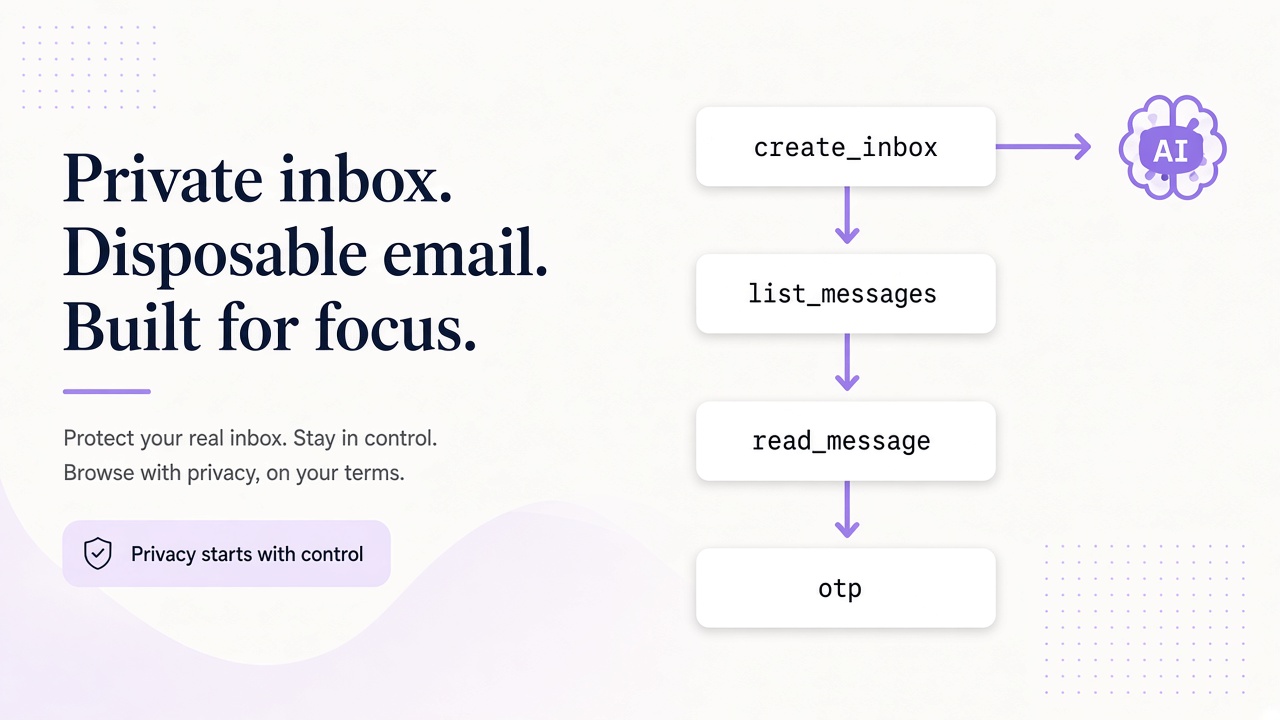
Start with the actual Relay MCP surface
Relay MCP is available at https://www.relaymcp.net/api/mcp. Its tools are list_domains, list_inboxes, create_inbox, list_messages, and read_message. Authentication uses your Relay key according to the connection instructions in the MCP documentation. Keep the key in server-side configuration such as process.env.RELAY_API_KEY; never paste it into prompts or client-side code.
| Capability | Tool | Typical agent use |
|---|---|---|
| Discover mail domains | list_domains |
Choose an allowed Free or BYOD domain |
| Inspect inbox ownership | list_inboxes |
Resolve an inbox for the current run |
| Provision a mailbox | create_inbox |
Create an isolated temporary inbox |
| Discover messages | list_messages |
Find new candidates |
| Read one message | read_message |
Extract authorized workflow data |
Keep routine verification focused on provisioning and reading the expected message. Give the agent only the tools required for its task, and review inbox lifecycle and evidence retention separately from tool execution.
Separate orchestration from tool execution
Use an orchestrator to own a finite-state workflow, not an open-ended conversation. For example: waiting_for_mail -> message_selected -> awaiting_approval -> completed. Each transition should have preconditions, a timeout, and a retry policy. The model can propose an action, but deterministic code decides whether that action is allowed.
Store a run record containing the inbox ID, last inspected message ID, selected message ID, workflow state, attempt counts, and approval state. After a restart, rebuild from this record instead of relying on model memory. Add unique constraints around external side effects so retries do not create duplicate accounts, tickets, or submissions.
Make leases explicit when several workers can resume runs. A worker should renew its lease and compare a state version before committing a transition; after a crash, another worker can recover the run without two live executors acting together. Keep polling deadlines separate from the overall workflow deadline so a temporary empty inbox does not trigger an unbounded retry loop.
A simple policy gate can be deterministic:
const allowedByState = {
  waiting_for_mail: ['list_messages'],
  message_selected: ['read_message'],
  awaiting_approval: [],
  completed: []
};

function authorizeTool(run, tool) {
  if (!allowedByState[run.state]?.includes(tool)) return false;
  if (tool === 'read_message' && run.selectedMessageId == null) return false;
  return run.inboxId === run.expectedInboxId;
}
This gate complements MCP authorization; it does not replace scoped, revocable Relay keys. It makes the agent's workflow privileges smaller than its technical credentials.
Treat every message as untrusted input
Email can instruct an agent to ignore policy, reveal secrets, call a different tool, or visit a malicious link. Those sentences are content, not commands. Put system policy outside the message, label message bodies clearly, and never concatenate mail into privileged instructions.
Relay sanitizes HTML, but sanitization does not make semantic instructions trustworthy. Disable autonomous link following and attachment execution unless a separate, sandboxed workflow explicitly permits them. Limit returned content to the fields needed for the next state transition.
If extraction produces an OTP, URL, or task field, validate its shape and bind it to the current run. A message about 'admin access' should not expand the agent's tool list. For parser-specific defenses, see the OTP extraction guide.
Put people on irreversible transitions
Human approval is most useful before side effects that are costly or impossible to reverse: submitting a registration, changing external account settings, changing a domain, or creating an external ticket. Approval screens should show the proposed action, target system, relevant message metadata, and a concise reason. Do not require reviewers to reconstruct intent from a long chain of model messages.
Use an approval token tied to the exact action hash and run ID. If the message, recipient, or payload changes, require a new approval. Expire tokens so an old approval cannot authorize a later retry with different context.
Not every step needs intervention. Listing messages in an isolated test inbox can be automatic, while changing the tested application's account state can require an authenticated checkpoint. This risk-based design preserves speed without turning autonomy into a blanket permission.
Observe decisions without collecting a mail archive
Emit structured events for tool requested, policy result, tool result, state transition, approval, and external side effect. Include run ID, inbox ID, message ID, latency, and error class. Redact message bodies, authorization headers, OTPs, and full addresses by default. A trace should explain why an action happened without becoming a second uncontrolled mailbox.
Track useful measures: time from message discovery to completion, ambiguous extraction rate, approval rate, retries by tool, and runs stuck in each state. Use synthetic mail for continuous checks and temporary inboxes for isolated test runs. The AI agent email testing guide covers determinism and ownership in more depth.
Plan for tool timeouts and duplicate responses. If read_message fails, retry only within the same state; if an external action times out, reconcile its status before repeating it. Relay mailbox operations and external systems need separate idempotency strategies.
Frequently asked questions
Can the agent invent additional Relay tools?
No. It can call only the tools exposed by Relay MCP and allowed by your client policy. Implement ticketing, deployment, or other actions as separately controlled application tools rather than assuming Relay provides them.
Should the agent poll continuously without a run record?
No. Durable state tells the agent which inbox and messages belong to the workflow, where to resume, and which effects already occurred. Without it, restarts and retries can repeat work or select the wrong mail.
Does HTML sanitization stop prompt injection?
No. Sanitization addresses dangerous markup, not hostile meaning. Text can still ask the model to violate policy, so enforce tool allowlists, state checks, scoped credentials, and approvals outside the model.
Build a bounded agent, not an autonomous inbox
Relay MCP supplies a focused mailbox toolset; reliable automation comes from the orchestration around it. Define states, constrain tools, isolate content, approve irreversible actions, and log decisions with sensitive fields removed. Start with a read-only workflow in a temporary inbox, then add privileges one transition at a time. Review the Relay docs and connect an agent only when its recovery path is as clear as its happy path.