The labels public and private are often used loosely in temporary email. Sometimes they describe who can read an inbox. Elsewhere, they describe whether a mail domain is available to everyone or reserved for one owner. Confusing those meanings can lead to serious mistakes.
A useful security comparison starts with two questions: who can discover the address, and what proves they may read its mail? The answers determine whether an inbox is suitable for a harmless test message, a confirmation link, or anything more sensitive.
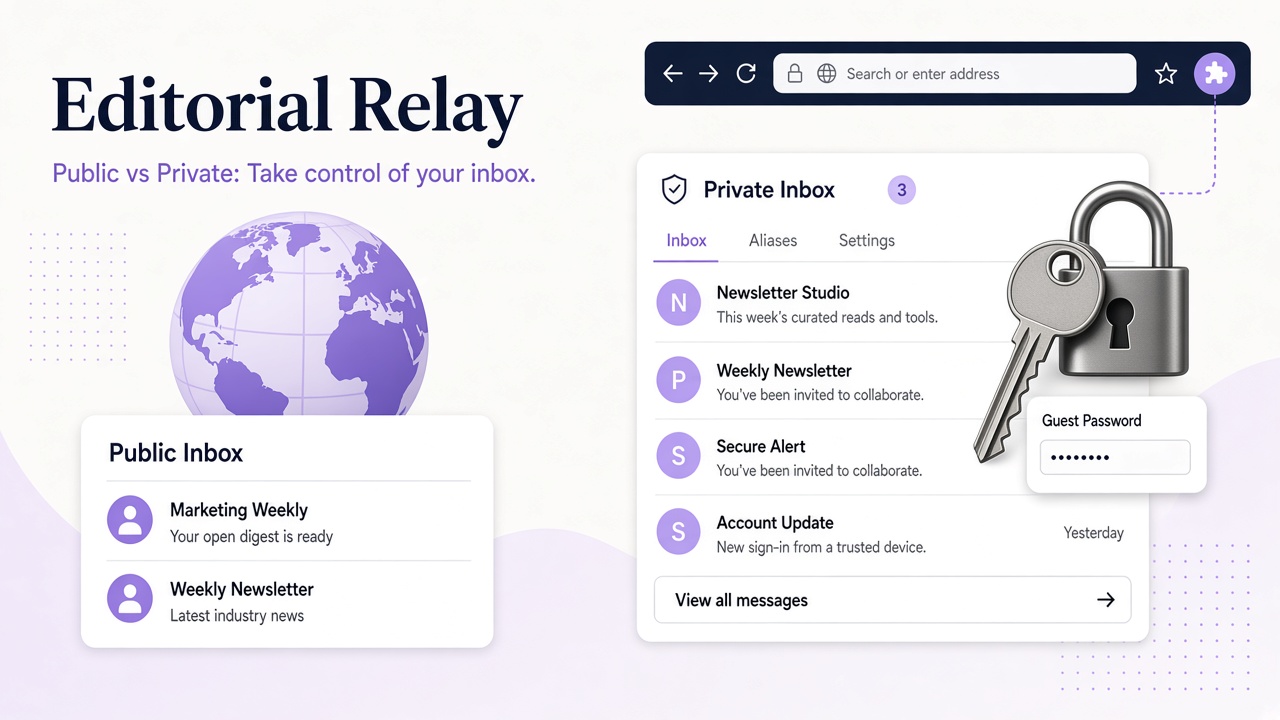
Define public and private before comparing risk
A public temporary inbox commonly means an address whose messages can be viewed without a private account boundary, sometimes by anyone who knows or guesses the address. A private temporary inbox requires a secret, authenticated session, or other controlled access before messages can be read.
Domain visibility is a separate axis. A public domain can be offered to many users for address creation, while a private domain is restricted to its owner or organization. Neither label, by itself, tells you whether every message is publicly readable.
Relay uses public and private to describe domain availability: public domains appear for everyone once verified, while private domains belong to the connecting user. Inbox access still matters. Guest inboxes require an access password, and account-created inboxes are associated with the account. Review the domain and inbox model rather than inferring permissions from the word public.
This distinction prevents two errors: assuming a private-sounding domain makes a weakly protected inbox safe, and assuming a shared domain automatically exposes every mailbox on it.
Start with a threat model, not an anonymity claim
A threat model names what you are protecting, who might seek it, and what access they could obtain. Temporary inboxes can reduce exposure of a primary address, but they do not guarantee absolute anonymity or protection from every observer.
| Risk | More exposed setup | Questions to ask |
|---|---|---|
| Address guessing | Predictable public inbox with no access secret | Can someone enumerate names or view an inbox directory? |
| Unauthorized reading | Shared or openly accessible mailbox | What credential or session is required to read mail? |
| Credential theft | Confirmation or reset links in an exposed inbox | Can a message grant control of another account? |
| Provider or network visibility | Any email workflow | What metadata and content must the service process? |
| Loss of access | Inbox without a durable recovery method | Can you reopen it when a delayed message arrives? |
| Domain-level association | Shared or custom domain | What does the domain reveal about a group or owner? |
For a disposable test fixture containing no useful credentials, discoverability may be an acceptable risk. For a message that resets a valuable account, it is not. Classify the message’s consequences before choosing the inbox.
Also consider ordinary accountability. Website activity, IP-level logs, payment details, and user behavior can link actions even when the email address changes. A private inbox is one control within a larger system.
Discoverability and ownership change the attack surface
Predictable addresses are easier to stumble into. Names such as test, admin, or a common project name can collide with other people’s expectations, especially on a shared domain. A less predictable name reduces casual discovery but is not a substitute for authentication.
Account ownership provides a clearer administrative boundary. With Relay, API keys access only the issuing account’s inboxes, and keys can be scoped and revoked. That is useful when a test process needs read access but should not be able to create inboxes. Keep keys in a secret store or environment configuration, never in client-side code or a repository.
Guest access has a different recovery profile. Relay shows a guest inbox password once and stores only its hash. If you lose that password, knowing the address is not enough to re-establish access. Save it when the inbox is created, and avoid guest workflows for accounts whose future recovery you cannot afford to lose.
A private domain can reduce collisions and make naming policy easier to control, but it can also identify your organization. A public shared domain blends addresses into a common namespace, but it does not automatically conceal user behavior. Choose based on the actual threat, not appearances.
Shared domains require extra care with sensitive data
A shared mail domain means multiple users create addresses under the same domain. It does not necessarily mean they share mailboxes, credentials, or message visibility. Verify the provider’s access design instead of treating the domain as the whole security boundary.
Sensitive data changes the calculation. A password reset, login link, financial statement, medical message, or private document can have value long after it arrives. If an inbox is publicly readable or its access secret is poorly protected, that message may expose much more than an email address.
Use a simple rule: do not receive information in an inbox unless you are comfortable with every party who could plausibly access that inbox and its credentials. When the data is sensitive, prefer controlled account access, a private domain where appropriate, and a documented recovery path.
Content safety is another layer. Even in a private inbox, HTML messages can contain deceptive links or tracking resources. Relay sanitizes HTML, but no sanitizer makes every message trustworthy or every attachment harmless. The guide to email HTML sanitization explains why layered inspection still matters.
Use a security checklist before creating the inbox
Run through this checklist for each new workflow:
- Access: Is a password, authenticated account, or other private control required to read messages?
- Discoverability: Could the address be guessed, listed, or confused with someone else’s?
- Message value: Could any message reset credentials, reveal personal data, or authorize an action?
- Recovery: Can you retain the guest password or account access for as long as needed?
- Domain: Does a shared domain fit the risk, or do you need a domain reserved for your use?
- Automation: Are API keys narrowly scoped, revocable, and stored outside source code?
- Retention: Do you know that an inbox may persist rather than disappearing automatically?
- Content handling: Will you verify links and treat attachments cautiously even after sanitization?
For a development team, a sensible configuration might use a private custom domain, account-managed inboxes, unpredictable per-run names, and a read-only key for the test worker. For a single non-sensitive confirmation, a guest inbox may be enough if its password is saved.
If you need your own namespace, compare the available custom domain options and keep domain administration separate from everyday message-reading credentials.
Frequently asked questions
Does a public domain mean everyone can read my inbox?
Not necessarily. Public domain availability and public message access are different properties. In Relay, a public domain can be used by everyone, while guest inboxes still require their access password and account inboxes remain tied to their accounts.
Is a private temporary inbox anonymous?
No. Private describes access or domain ownership, not anonymity. Providers may process message content and metadata, and other account or browsing details can link activity. Treat a private inbox as an access-control measure, not a promise that identity cannot be determined.
Can I use a temporary inbox for password resets?
Only when you control access and can retain it for the account’s useful life. Never place a valuable reset link in an openly readable inbox. Save the required credentials, consider account-managed access, and avoid temporary addresses when the receiving service requires a durable identity.
Make access control the deciding factor
The safest choice is not simply the inbox labeled private. It is the one whose discoverability, credentials, domain ownership, and recovery model match the messages you expect.
Relay supports Free and custom mail domains, public and private domain availability, and guest or account-managed inbox access. Start with the security and inbox documentation, protect credentials through your account settings, and use a separate inbox without assuming it makes you anonymous.