SMTP testing is often confused with inbox testing. SMTP is the transport conversation between a sender and receiving server. Inbox testing begins after the message is accepted and stored, when an application needs to list, read, parse, and assert the result. Keeping these boundaries clear makes failures much easier to diagnose.
| Layer | What it proves | Typical failure |
|---|---|---|
| Application send | Product generated a message | Template or job failure |
| SMTP transaction | Receiver accepted delivery | DNS, connection, or recipient error |
| Storage | Message was committed | Worker or database issue |
| Inbox API | Test can retrieve it | Auth, scope, or ID issue |
| Assertion | Message is correct | Wrong subject, code, or link |
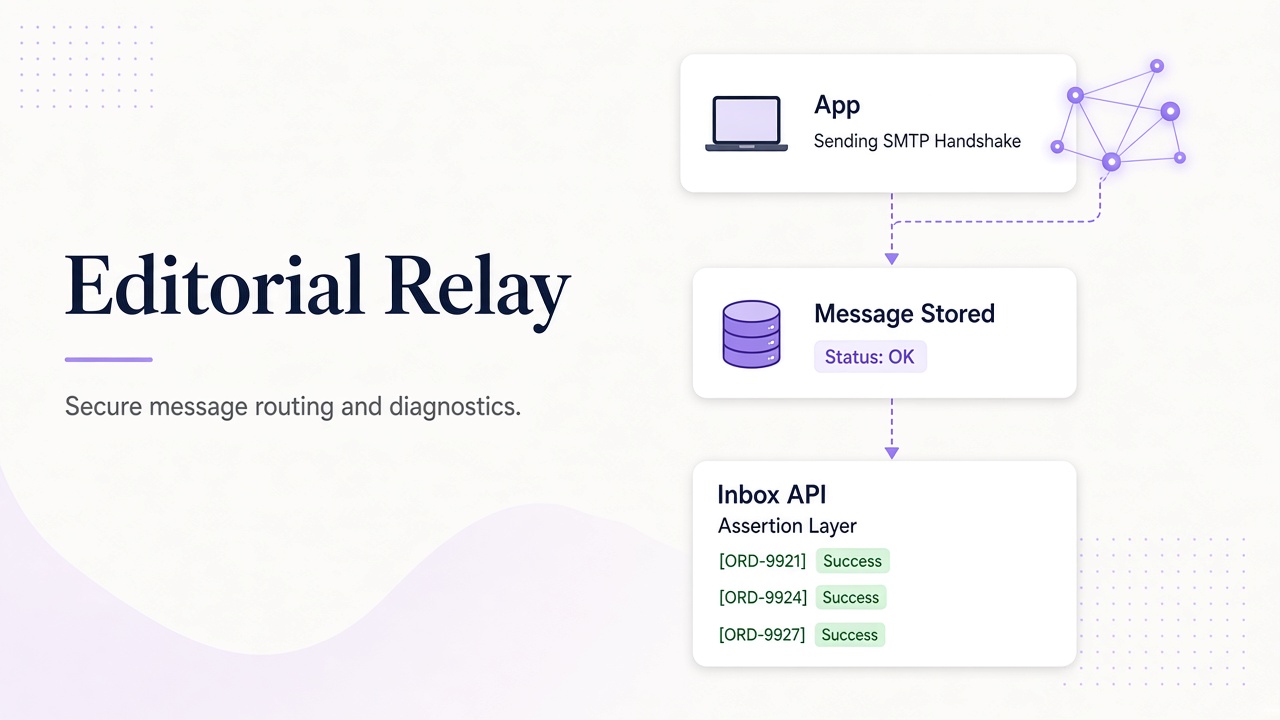
A receiving service should route by the SMTP envelope recipient, not a spoofable display header. Once accepted, the message must be stored before the sender receives a successful response. Relay’s deployment notes describe the service boundary, while the REST API lets tests inspect the stored result.
Diagnose in order
Start with the application logs and confirm the intended recipient. Then inspect SMTP response behavior, delivery timestamps, and the inbox message list. If the message exists, the issue is no longer SMTP transport; it may be parsing, filtering, or an assertion problem. Avoid changing five layers at once.
Test realistic failures
A useful suite covers unknown recipients, transient storage failures, delayed delivery, malformed attachments, and HTML that contains active content. The reader should sanitize email before rendering, and tests should treat sender names and body text as untrusted.
Frequently asked questions
Does SMTP acceptance mean the test passed?
No. It means the receiving server accepted the message; the application must still retrieve and verify it.
What is the envelope recipient?
It is the recipient supplied to the SMTP transaction and should determine routing.
Where should I start debugging?
Follow the layers above and use the CLI workflow to inspect message metadata without rebuilding the test.
Incident narrative: “SMTP said 250 OK”
Your application logs show a successful handoff to the relay host, yet the UI test times out. The bug is past SMTP—inbox routing, API scopes, or assertion logic. Walking the stack top-down prevents blaming the wrong team.
| Checkpoint | Evidence to capture | Owner |
|---|---|---|
| Template render | Message ID in app DB | App team |
| SMTP dialog | Remote response code | Platform |
| Stored message | Inbox API lists row | Relay/API |
| Parsed OTP | Extraction JSON | QA automation |
Use the CLI workflows guide to inspect message metadata without rerunning the full UI spec.