Temp mail, disposable email, and fake email are often used as synonyms in search results and casual conversation. They all suggest an alternative to a primary address, but they do not describe exactly the same thing.
The practical difference is whether the address receives real mail, how long access lasts, and why you are using it. Understanding those dimensions helps you choose a legitimate testing or privacy tool without expecting a disposable label to provide anonymity or automatic deletion.
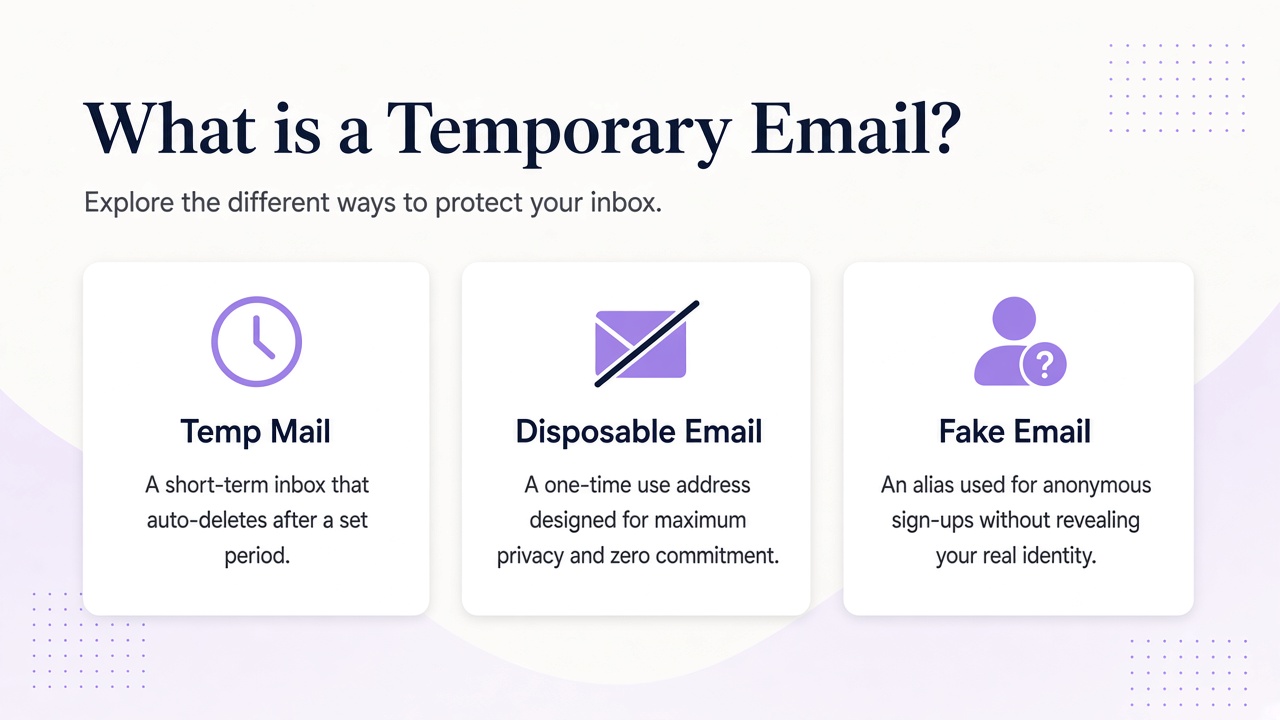
What each term usually means
Temp mail usually refers to a mailbox intended for a bounded task, such as receiving a confirmation message or testing an application’s email flow. Many temp mail services provide working addresses and a web interface for reading messages. The expected lifetime varies widely.
Disposable email emphasizes disposability of the address rather than the interface. It can include a temporary mailbox, a forwarding alias that you later disable, or a plus-tagged address that still reaches your main account. The address may be replaceable even when the underlying mailbox is permanent.
Fake email is the least precise term. It may mean a made-up address that cannot receive mail, a fabricated entry used in a form, or simply a temporary address that someone calls fake because it is not their primary identity. Those meanings have very different consequences.
For testing your own software, a syntactically valid but undeliverable address can be useful when you only need to validate a form. If you need to inspect a confirmation, reset, or notification, you need a real receiving mailbox instead.
The terminology overlaps more than the technology does
A single address can be both temporary and disposable. A reviewer might create a working inbox for one product evaluation, retain it through the decision period, and stop using it afterward. Another person might call that same address fake email even though it receives genuine messages.
This is why a service’s actual behavior matters more than its marketing label. Ask whether mail is deliverable, who can read it, whether the mailbox expires, and how access is recovered. Do not assume temporary means automatically deleted. Relay inboxes, for example, do not expire on their own.
Aliases add another point of confusion. A disposable alias can forward into the same permanent mailbox you use every day, while a temporary inbox creates a separate destination. The alias and temporary inbox guide compares those access and isolation models in detail.
Fake should not be used as a strategy for bypassing a provider’s rules. If a service requires a reachable or organization-specific address, provide one that meets the requirement. For legitimate trials, separating mail is reasonable; misrepresenting required information or evading trial limits is not.
Compare the terms side by side
The table reflects common usage, not a universal standard. Always check the specific provider.
| Term | Usually receives mail? | Typical purpose | Access and lifecycle |
|---|---|---|---|
| Temp mail | Yes | Short projects, confirmations, testing | May be guest-based or account-based; retention varies |
| Disposable email | Often, but not always | Replace or disable an address without changing your main identity | Could be a separate inbox or forwarding alias |
| Fake email | Sometimes no | Placeholder data, casual label for a non-primary address | May be undeliverable and have no recovery path |
| Email alias | Yes | Route mail under another address | Usually persists with the destination mailbox |
| Plus-tagged address | Yes | Sort or identify mail within one account | Delivers to the primary mailbox where supported |
A made-up address such as [email protected] belongs in controlled examples, not a real sign-up that requires delivery. Reserved example domains are useful for documentation, but they are not temporary inboxes.
Conversely, a working temporary address should not be treated as fake data after a message arrives. It can contain live reset links, personal information, or security notices that deserve appropriate protection.
Choose based on delivery, access, and accountability
Start with the task and work backward to the tool.
- Do you need to read a message? If yes, choose a real inbox, not an invented address.
- Must the mail stay separate from your primary mailbox? Choose a separate inbox rather than a forwarding alias or tag.
- How long will you need access? Select guest or account access that matches the recovery period.
- Who should be able to read it? Review discoverability, credentials, and whether the domain is shared.
- Does the receiving service allow this address type? Follow its terms and identity requirements.
- Will software inspect the mailbox? Prefer documented API or MCP access with scoped credentials.
For a QA engineer testing an application’s welcome email, a separate account-managed inbox provides real delivery without mixing messages into personal mail. For someone evaluating a newsletter, a durable alias may be easier because messages remain in the usual reading environment. For a developer checking only that a form rejects malformed input, no mailbox is needed at all.
Domain choice can also matter. Relay offers available Free mail domains and supports custom domains; the domain overview explains the options without treating the website domain itself as a mailbox provider.
Use alternate addresses for legitimate scenarios
Good uses include isolating test fixtures, keeping a bounded evaluation organized, reducing unnecessary exposure of a primary address, and giving an automated process a controlled place to receive mail. These uses preserve the basic purpose of email: reliable communication between parties who understand the arrangement.
Avoid using alternate addresses for harassment, deception, unauthorized duplicate accounts, or evading security controls. Do not place sensitive information in an inbox whose access model you do not understand. An address that is easy to replace can still expose valuable message content.
For trials, use a genuine evaluation workflow and provide required information accurately. The guide to primary email and free trials covers that balance without treating every marketing message as a threat.
Finally, plan the end of the address’s use. Unsubscribe or close accounts through supported controls where appropriate, retain necessary receipts, and do not assume a mailbox disappears merely because you stop opening it. Deliberate lifecycle management is more reliable than a disposable label.
Frequently asked questions
Is temp mail the same as disposable email?
They overlap, but temp mail usually emphasizes a temporary mailbox while disposable email emphasizes an address you can replace or disable. A disposable alias may forward to a permanent account, so check the delivery model rather than relying on the label.
Does fake email work for receiving verification links?
An invented or undeliverable address cannot receive a verification link. You need a functioning mailbox for that purpose. If a service requires a specific kind of reachable address, use one that complies with its rules instead of trying to bypass verification.
Does temporary email delete itself automatically?
Not necessarily. Retention differs by provider and product. Relay inboxes have no fixed expiry, so save access details for as long as needed and review the privacy policy for retention guidance rather than waiting for an assumed expiration. Contact support for data-handling questions.
Choose behavior over labels
Temp mail, disposable email, and fake email can point to similar search intent, but only the underlying delivery and access model tells you what will actually happen. Real receiving, mailbox separation, retention, and recovery are the useful criteria.
Relay provides working inboxes on Free mail domains and supported custom domains, with guest and account-based access plus API and MCP options. Read the Relay documentation and choose an address that fits legitimate communication, not just a convenient label.