An email alias and a temporary inbox can both keep your primary address out of a sign-up form, but they solve different problems. An alias changes the address you give out. A separate inbox changes where the mail goes and who can access it.
That distinction matters when you are testing a product, joining a long-term community, or separating a work experiment from your personal account. The best choice is not the most disposable option. It is the option whose delivery, recovery, and retention model matches the task.
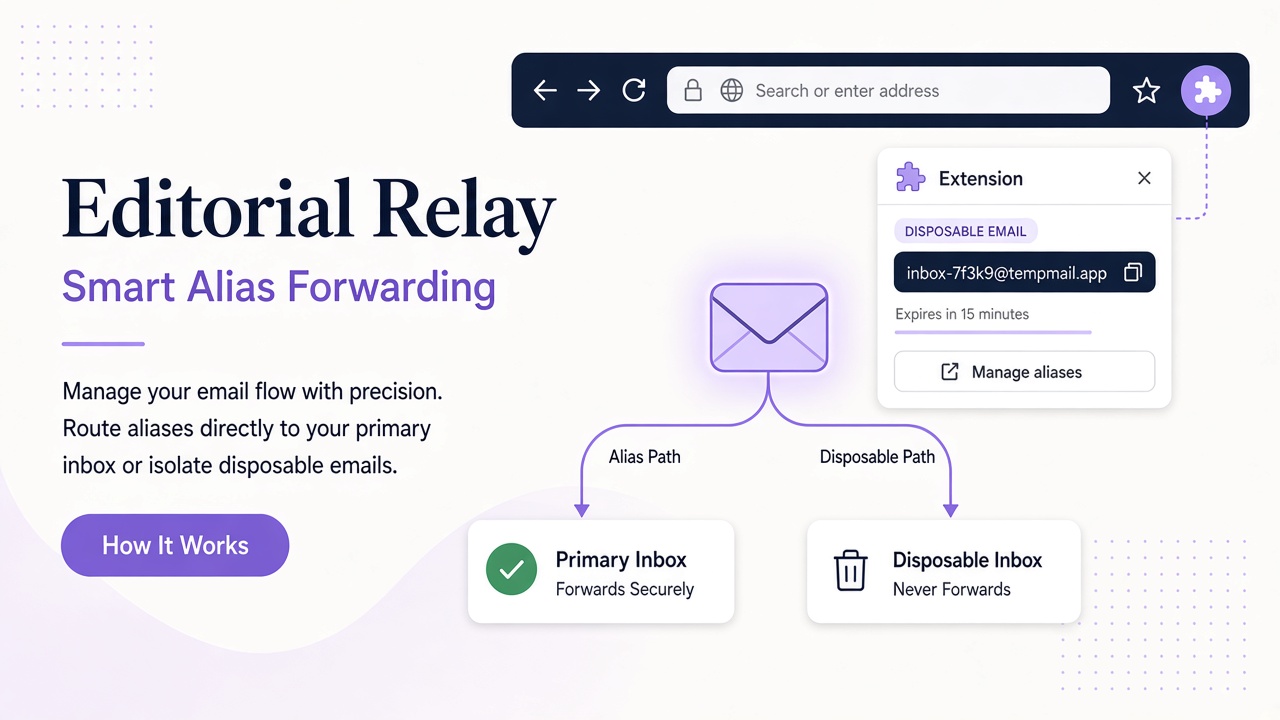
The real difference is where mail goes
An alias usually forwards messages to an existing mailbox. If you create [email protected] as an alias of your main address, a newsletter still arrives alongside your personal mail. You can filter or disable the alias, but the message has already crossed into the same mail environment.
A temporary inbox receives mail in a separate mailbox. Messages do not need to pass through your primary account. This creates a practical boundary for QA fixtures, product evaluations, and short-lived projects. It also means you must open and manage that inbox separately.
Imagine a developer testing password resets for a staging application. Forwarding every test message into a busy personal mailbox mixes fixtures with real correspondence. A dedicated inbox keeps those messages together and reduces the chance of acting on the wrong reset link.
Isolation is not anonymity. A provider may still process metadata, and the service you contact can still observe how you use its product. The benefit is a clearer boundary between mailboxes, not invisibility.
Compare access, persistence, and recovery
The word temporary describes an intended use, not a universal deletion schedule. Some services discard mail quickly; others retain an inbox until the user removes it. Relay inboxes do not expire on their own, so you should treat retention as a deliberate part of your workflow rather than assume a countdown exists.
| Question | Email alias | Separate temporary inbox |
|---|---|---|
| Where does mail arrive? | Your existing mailbox | A distinct mailbox |
| What happens if the address is disabled? | Forwarding usually stops; the primary mailbox remains | Access to that separate address may be lost |
| Is it suitable for account recovery? | Often, if you retain control of the destination | Only when you can reliably retain inbox access |
| Does it reduce inbox clutter? | Only with effective filters | Yes, by keeping mail outside the primary mailbox |
| Does it create a separate access boundary? | Usually not | Yes, through inbox credentials or account access |
| Can the address use your own domain? | Yes, with a compatible mail setup | Yes, when the inbox provider supports custom domains |
Recovery deserves special attention. With an alias, access usually depends on the primary mailbox. With a guest inbox, access may depend on a password shown during creation. Relay guest inboxes use a one-time access password that must be saved; account-created inboxes instead remain associated with the account.
For any address that could receive a future reset link, decide now how you will reopen it. A memorable address alone is not a recovery plan.
When an email alias is the better fit
Choose an alias when the relationship is ongoing and you want one place to read mail. Professional identities, mailing lists you follow closely, and durable accounts often fit this model. You retain familiar search, notifications, and recovery while avoiding unnecessary exposure of the underlying address.
Aliases are also useful when the main requirement is organization. An address such as [email protected] can support a routing rule without introducing another mailbox to check.
The tradeoff is concentration. A forwarded message can still bring remote images, misleading links, or unwanted volume into your primary environment. Filtering helps, but it does not create the same operational separation as another inbox.
Do not use an alias as the sole recovery method for the very mailbox it forwards to. That creates a circular dependency: losing the destination account could also remove your ability to receive its recovery mail.
When a temporary inbox is the better fit
Choose a separate inbox when the mailbox boundary is the point. Good examples include receiving a confirmation for a legitimate product evaluation, collecting messages during an automated test, or giving a short project its own correspondence stream.
A QA team can create one inbox per test run and inspect only the messages relevant to that run. A reviewer can evaluate a service without adding its onboarding sequence to a personal mailbox. Neither scenario requires false information or abuse of the service being tested.
If you are comparing access models, see public vs private temporary inboxes. Domain choice matters too: a shared mail domain separates an address from your primary identity, while a custom domain can align test mail with infrastructure you control.
Avoid a separate temporary inbox for critical financial, medical, or identity accounts unless you have a durable access plan and the service permits it. Convenience should not undermine future recovery.
A practical decision tree
Use these questions in order:
- Will I need this account months or years from now? If yes, prefer a durable alias or a separate inbox with reliable credentials and a recovery plan.
- Must mail stay outside my primary mailbox? If yes, choose a separate inbox rather than forwarding.
- Do I need one notification stream and one search interface? If yes, an alias is usually simpler.
- Will automated tools need to read messages? A separate inbox with documented API access is easier to integrate safely.
- Does the address affect domain or professional reputation? Use an address and domain you can maintain, and follow the recipient service’s terms.
- What happens if I lose access? If the answer is unacceptable account loss, do not proceed until recovery is solved.
This sequence starts with the relationship, not the label. It also prevents a common mistake: choosing an address because it looks disposable, then later depending on it for a valuable account.
Frequently asked questions
Is an alias more private than a temporary inbox?
Not automatically. An alias can hide the underlying destination address from a recipient, but it forwards mail into that destination. A separate inbox can provide stronger mailbox isolation. Neither option guarantees anonymity, so evaluate access, metadata, retention, and the service’s policies together.
Can a temporary inbox be permanent enough for ongoing use?
Yes, temporary can describe your intended purpose rather than a technical expiration. Relay inboxes have no fixed expiry, and switching addresses does not remove existing mail. You still need to protect the relevant guest password or account access and decide whether the address is appropriate for long-term recovery.
Which option is better for domain reputation?
Neither label protects reputation by itself. Sending behavior, authentication, complaint handling, and adherence to provider rules matter more. For receiving test mail, use a domain appropriate to the environment and avoid practices that make legitimate traffic look deceptive or abusive.
Choose separation you can manage
Aliases favor continuity and consolidated reading. Temporary inboxes favor isolation and task-specific access. Many people need both: aliases for durable relationships and separate inboxes for evaluations, development, and other bounded work.
Relay provides separate inboxes on available Free mail domains and supported custom domains, with guest-password or account-based access. Review the inbox and domain documentation, explore domain options, and choose the smallest separation model that still protects your workflow.