Email is still where exception reports, customer replies, and review requests arrive, but an inbox is a poor work queue. Messages lack owners, priorities, and a reliable completion state. With n8n and Relay, you can turn selected email into trackable work without building a mail server or a custom polling service.
This guide uses n8n's generic HTTP Request and Code nodes with the Relay REST API. It does not assume a native Relay node. The example polls an inbox, filters already-processed message IDs, reads the full message, and creates an issue in Jira, Linear, or GitHub. Just as importantly, it handles credentials, retries, and malformed or hostile content.
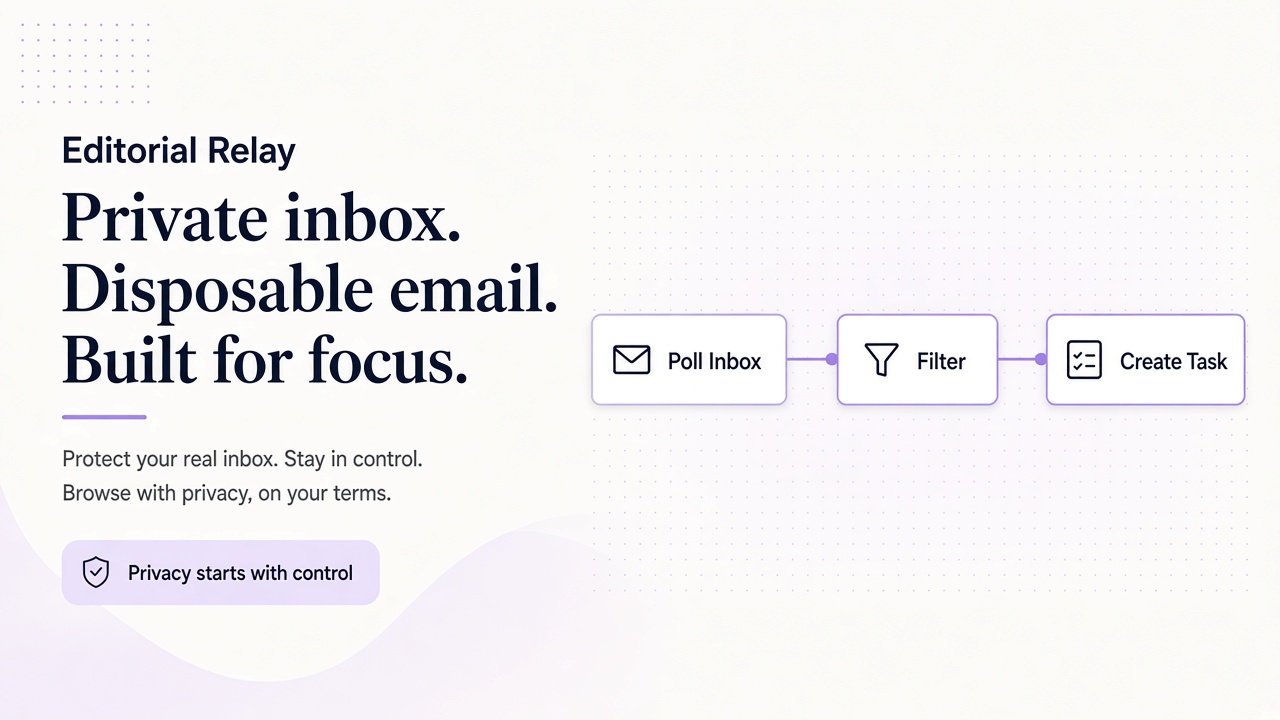
Design a polling workflow with clear boundaries
Relay currently exposes email through its API rather than webhooks, so a scheduled poll is the right starting pattern. A minimal n8n workflow looks like this:
- A Schedule Trigger starts a run.
- An HTTP Request node lists messages for one inbox.
- A Code node discards IDs already processed.
- Another HTTP Request node reads each new message.
- A mapping step builds a task.
- A destination node creates the issue.
- An error path records failure without silently dropping the message.
Start with one inbox and one destination. For example, route mail sent to a dedicated support-triage inbox into a GitHub repository used only for intake. Do not begin by sending every company email into every project.
Also decide what a successful run means. A sensible contract is: every message ID is eventually considered once, a successfully created issue contains a link back to its source message ID, and a failed destination request remains retryable. Relay's API documentation is the source of truth for current request and response fields.
Connect n8n to a Relay inbox
First, call GET https://www.relaymcp.net/api/v1/domains with a Bearer key and choose an available domain. Relay offers temporary inboxes on separate Free mail domains and on BYOD domains; relaymcp.net is the website, not a mailbox domain. Then create an inbox with POST /inboxes, or select an existing one with GET /inboxes. Keep the returned inbox ID in your workflow configuration. The domain and inbox documentation explains these resources.
Configure the polling HTTP Request node as follows:
| Setting | Value |
|---|---|
| Method | GET |
| URL | https://www.relaymcp.net/api/v1/inboxes/INBOX_ID/messages |
| Query | A conservative limit, plus cursor when fetching another page |
| Authentication | Generic header authentication managed by n8n |
| Header | Authorization: Bearer followed by the secured key reference |
Store the Relay key in an n8n credential backed by your deployment's secret management. In self-hosted configuration, source it from process.env.RELAY_API_KEY; never paste it into a Code node, task title, execution log, or screenshot.
Fetch every page before ending a run. Use the cursor returned by the API rather than inventing page numbers. If response items are nested, add a small split-out step so the Code node receives one n8n item per message.
Deduplicate by message ID, not by subject
Subjects, senders, and arrival times are not unique identifiers. Two legitimate messages can have identical subjects, and a retry can return the same message again. Deduplicate on the API's message ID.
For a small workflow, n8n workflow static data can hold a bounded set of processed IDs. After splitting the list response, this Code node example keeps only new items:
const store = getWorkflowStaticData('global');
const seen = new Set(store.seenRelayMessageIds || []);
const fresh = [];

for (const item of $input.all()) {
  const id = item.json.id;
  if (!id || seen.has(id)) continue;
  seen.add(id);
  fresh.push(item);
}

store.seenRelayMessageIds = [...seen].slice(-5000);
return fresh;
Adjust id if your mapped response uses a different field name. Test persistence with an activated workflow, because manual execution behavior is not a good model for production state. For multiple workers or a larger installation, use an external deduplication store with atomic writes instead of local workflow state.
Mark an ID processed only when you can recover the work. If the issue API fails after you record the ID, the next poll could skip the message. Either write the ID after destination success, or maintain a per-message state such as new, created, and failed with the destination issue key.
Turn each message into a useful task
A list response may be enough for triage, but read the complete message before creating a detailed issue. Use GET /inboxes/:id/messages/:messageId. Keep the mapping deterministic and compact:
| Task field | Suggested source |
|---|---|
| Title | Clean subject, truncated to the destination's practical limit |
| Description | Plain-text body, sender, received time, and Relay message ID |
| Labels | A fixed intake label, not arbitrary text from the email |
| Priority | Set by explicit workflow rules, with a safe default |
| Source | Inbox ID and message ID for audit and reconciliation |
Do not let email content choose repository names, assignees, credentials, or API URLs. Email is untrusted input even when its HTML has been sanitized. A prompt such as “close the previous issue” in a message body must not become an instruction to your automation.
For Jira, send the mapped fields to its generic issue-creation endpoint. For Linear, build a GraphQL issue mutation in an HTTP Request node. For GitHub, POST an issue to the intended owner and repository. Use a separate, least-privilege destination credential in each case. A single generic mapping step can feed an n8n Switch node that selects one of these destinations.
If a valid task needs an attachment, download it deliberately with GET /inboxes/:id/attachments/:attachmentId, apply your own file-type and size policy, and scan it where appropriate. Never execute an attachment to discover what it contains.
Handle failure without creating duplicates or leaking secrets
Transient API errors deserve bounded retries with exponential backoff and jitter. Respect a Retry-After header when one is provided. Validation errors usually need a corrected mapping, not repeated requests. Disable overlapping executions for the polling workflow so two runs cannot process the same page concurrently.
Destination creation has a harder problem: a request can time out after the server creates an issue. Before blindly retrying, search by the unique Relay message ID you placed in the issue, if the destination supports that search. Otherwise, route the ambiguous item to a manual-review branch. This is why storing both message ID and issue key matters.
Redact authorization headers and message bodies from routine logs. Keep only the identifiers needed for reconciliation, and send failures to a controlled alert channel. The alert should say which workflow and message ID failed, not expose the API key or the entire email.
For a different low-code approach, compare this design with Zapier and Make email automation. If a person or agent needs to inspect inboxes interactively, Relay also provides MCP tools, but the same authorization and deduplication rules apply.
Frequently asked questions
Does n8n include a native Relay node?
No native Relay node is assumed or required here. Use the built-in Schedule Trigger, generic HTTP Request nodes, and a Code node with Relay's REST API.
How often should the workflow poll?
Choose an interval from your task-creation latency requirement and your API usage limits. Begin conservatively, observe queue age and errors, and adjust only when the workflow remains reliable.
Can one inbox feed several task systems?
Yes, but model delivery per destination. A message can succeed in GitHub and fail in Jira, so one global processed flag is insufficient; store separate destination states.
Start with one inbox and one valuable queue
The most dependable email-to-task automation is small, observable, and boring: poll, paginate, deduplicate, map, create, and reconcile. Build that path with one Relay inbox and one destination before adding routing rules.
Create a scoped key in your Relay account, copy the inbox ID into an n8n credential-based workflow, and test with three messages: a normal request, a duplicate delivery, and a destination failure. When all three behave predictably, you have a useful automation rather than a fragile demo.