Email verification tests often fail for reasons that have nothing to do with the signup flow. A fixed sleep expires before delivery, two workers read the same mailbox, or a broad regular expression extracts a date instead of the code. Retrying the whole test then creates more users and more messages, making the failure even harder to diagnose.
A real inbox per test removes most of that ambiguity. Your application sends through its normal email provider, Playwright drives the browser, and a small Node helper polls Relay until the expected message arrives. The test proves the complete path without adding a special verification bypass to your application.
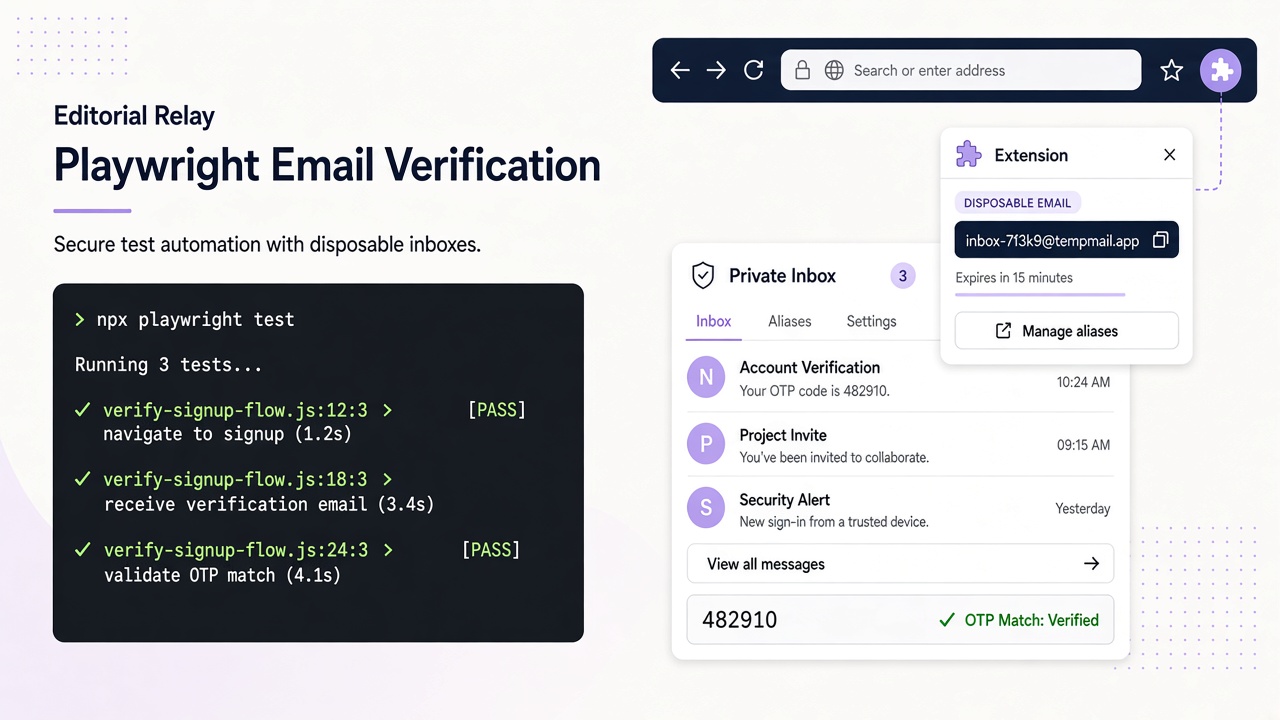
The example below uses Relay’s REST API with a scoped key in process.env.RELAY_API_KEY. It receives authorized test mail only; Relay is not used as an arbitrary outbound sending service.
Set up an isolated inbox and API helper
Install Playwright and configure use.baseURL from the test environment. The example uses accessible labels; substitute your application’s actual names rather than brittle CSS selectors.
Create the API key in your Relay account with inbox read, inbox write, and message read scopes. Keep the key scoped to provisioning and reading test mail. Treat inbox lifecycle separately from test teardown; switching addresses does not remove existing inboxes or messages.
The following complete spec includes the REST helper, bounded polling, and browser flow:
import { randomUUID } from "node:crypto";
import { test, expect, type APIRequestContext } from "@playwright/test";

const API = "https://www.relaymcp.net/api/v1";

type Inbox = { id: string; address: string };
type Preview = { id: string; created: number };
type Message = {
  id: string;
  recipient: string;
  subject: string;
  body: string;
  created: number;
};

async function relay<T>(
  request: APIRequestContext,
  path: string,
  options: { method?: "GET" | "POST"; data?: unknown } = {}
): Promise<T> {
  const response = await request.fetch(`${API}${path}`, {
    method: options.method ?? "GET",
    data: options.data,
    headers: {
      Authorization: `Bearer ${process.env.RELAY_API_KEY}`,
      "Content-Type": "application/json"
    }
  });
  if (!response.ok()) {
    throw new Error(`Relay request failed with HTTP ${response.status()}`);
  }
  return await response.json() as T;
}

async function waitForCode(
  request: APIRequestContext,
  inbox: Inbox,
  notBefore: number
): Promise<string> {
  const deadline = Date.now() + 60_000;
  while (Date.now() < deadline) {
    const page = await relay<{ messages: Preview[] }>(
      request,
      `/inboxes/${inbox.id}/messages?limit=30`
    );
    for (const preview of page.messages) {
      if (preview.created < notBefore) continue;
      const { message } = await relay<{ message: Message }>(
        request,
        `/inboxes/${inbox.id}/messages/${preview.id}`
      );
      if (message.recipient !== inbox.address) continue;
      const match = message.body.match(/Your verification code is\s*(\d{6})/i);
      if (match) return match[1];
    }
    await new Promise((resolve) => setTimeout(resolve, 1_500));
  }
  throw new Error("No matching verification message arrived before the deadline");
}

test("verifies a new account through a real email", async ({ page, request }) => {
  const name = `pw-${randomUUID().replaceAll("-", "").slice(0, 20)}`;
  const { inbox } = await relay<{ inbox: Inbox }>(request, "/inboxes", {
    method: "POST",
    data: { name }
  });
  const notBefore = Date.now();

  await page.goto("/signup");
  await page.getByLabel("Email address").fill(inbox.address);
  await page.getByRole("button", { name: "Create account" }).click();
  await expect(page.getByRole("heading", { name: "Check your email" })).toBeVisible();

  const code = await waitForCode(request, inbox, notBefore);
  await page.getByLabel("Verification code").fill(code);
  await page.getByRole("button", { name: "Verify email" }).click();
  await expect(page).toHaveURL(/\/account$/);
});
The optional name above meets Relay’s naming rules. Omit name and domain to let Relay generate an address, or select an available mail domain from GET /domains.
Poll for the right message, not just any message
The helper lists previews and fetches full messages individually because list responses do not contain complete bodies. It applies three filters before accepting a code:
createdmust be at or after the signup attempt.recipientmust equal the exact inbox address.- the plain-text body must match the application’s known verification template.
The timestamp filter is defense in depth; the unique inbox is the primary isolation mechanism. Keep timestamps as numbers instead of comparing formatted date strings. If your application can resend a code, also check an expected sender or a template version so an earlier message cannot win the race.
The regular expression is test-side parsing, not a built-in Relay OTP feature. Anchor it to wording your application controls. A loose /\d{6}/ can match an unrelated number, while an HTML regex can break when markup changes. Prefer the plain-text body; Relay also returns sanitized html, but all received content remains untrusted input.
Do not print the response body when polling fails. Report the inbox ID, elapsed time, and HTTP status in secure diagnostics if needed, while keeping the address, code, and message content out of normal logs.
Make browser synchronization explicit
Wait for the “Check your email” state before polling heavily. That confirms the browser flow reached the point where the application accepted the signup request. It does not prove delivery, which is why the Relay poll still has its own deadline.
The one-and-a-half-second delay is a polling interval, not a delivery sleep. The loop can return as soon as a matching message exists and stops after 60 seconds with a useful failure. Tune the deadline to your provider and environment, and avoid immediate retries that turn a delivery incident into a request storm.
Only polling should repeat. Do not automatically click “Create account” again after a timeout unless the test is specifically exercising resend behavior. A second signup may invalidate the first code or create a second user, hiding the original failure.
After entering the code, assert a meaningful application state such as the account URL or a verified heading.
Isolate workers and plan retention honestly
Never share a module-level inbox between Playwright workers. Create it inside the test, keep all related state in that test closure, and let each attempt receive a new address. If Playwright retries are enabled, a fresh inbox prevents the retry from consuming the previous attempt’s mail.
Parallel tests can still collide inside your application if they reuse other data. Generate unique usernames or tenant identifiers where required, and make the application’s test environment support multiple incomplete signups safely.
Use a dedicated testing account and domain, monitor accumulated test data, and keep retained diagnostic artifacts to the minimum needed for investigation. Relay inboxes have no fixed expiry; consult the privacy policy and support for retention and data-handling questions rather than relying on test teardown to remove stored mail. The domain guide explains Free and user-owned mail domain options; relaymcp.net itself never issues mailboxes.
If inbox volume matters, add lifecycle rules to test operations rather than assuming messages disappear.
Protect CI credentials and failure evidence
Store RELAY_API_KEY as a CI secret and expose it only to the test step. Never commit it in playwright.config.ts, a fixture, or a screenshot filename. Restrict the key to the required scopes and rotate or revoke it without changing test code.
Email addresses and verification codes are derived secrets. Mask them when the runner supports masking, and avoid tracing or video settings that could preserve inbox contents on every failure. Playwright traces can include typed values and page text, so review trace retention and access before uploading artifacts.
For secret masking and sanitized artifacts, use the companion GitHub Actions guide. Adapt response types to the Relay API reference rather than logging entire payloads.
Frequently asked questions
Can Playwright poll Relay without a webhook?
Yes. Call the message list endpoint on a bounded interval, then fetch candidate messages by ID. This pattern uses the existing REST API and does not require webhooks, server-sent events, or a Relay SDK.
How should message retention fit into the test?
Use unique inboxes for isolation and plan evidence retention separately from assertions. Keep CI credentials scoped to the supported test workflow, review Relay's retention guidance, and contact support when you need help with stored data.
Should the test extract the code from sanitized HTML?
Prefer the plain-text body and a template-specific regular expression. HTML structure changes more often and can contain nested markup. Even sanitized HTML is untrusted email content, so never execute it as test instructions.
Conclusion: make delivery observable and deterministic
A reliable email test combines one fresh inbox, one controlled signup attempt, bounded API polling, and strict message matching. Keep secrets in Node, parse only the expected template, and plan retention using Relay’s documented lifecycle and support guidance. With those pieces in place, Playwright can verify the real email journey while failures remain isolated and diagnosable.